

Audi MMI Scripts – Professional Automation & Hidden Feature Activation
Unlock the hidden potential of your Audi with precision-engineered MMI Scripts. At MMIUpdates.com, we provide a specialized selection of automated software tools designed to perform complex system modifications with ease. Instead of manual coding via expensive diagnostic tools, our scripts allow you to activate features, clear system errors, and unlock developer menus directly via your Audi’s SD card slot. These are essential tools for any owner looking to fully customize their MMI 3G, MIB2, or MIB3 environment.
What Can You Achieve with MMIUpdates Scripts?
- Green Menu Activation: Instantly unlock the Hidden Developer Menu (Green Menu) to access advanced system diagnostics and configuration options. 🔓
- Error Correction: Automated scripts to clear common post-update faults, such as the “SVM Error” or “B201A” database mismatch, ensuring a clean diagnostic log. 🛠️
- System Feature Unlocks: Enable “Video in Motion” (VIM), emergency braking light flashes, or customized start-up screens without deep-level coding knowledge. 🏎️
- Bluetooth & Media Fixes: Specialized scripts to reset or reconfigure media modules for improved smartphone synchronization. 📱
Browse our verified scripts below to find the right automation tool for your specific Audi MMI generation.
-
-
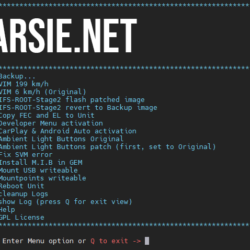
Mib2 CarPlay / Android auto activation script + lifetime map license / EU conversion
- Price range: £109.99 through £139.99
- Select options This product has multiple variants. The options may be chosen on the product page
-
-

-
P0020_ADJBK_FIX
- Price range: £39.99 through £69.99
- Select options This product has multiple variants. The options may be chosen on the product page
-
-

-
ZDC files for VCP
- £110.64
- Add to cart
-
-
-
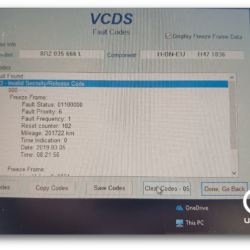
03623 Invalid Security – error removal script
- Price range: £23.61 through £35.27
- Select options This product has multiple variants. The options may be chosen on the product page
-
-

-
Audi MMI 3G Green menu activator script | MMI 3G Plus | MMI 3G High | MMI 3G Basic
- Price range: £29.99 through £69.99
- Select options This product has multiple variants. The options may be chosen on the product page
-



Safe & Verified Software Modifications for Your Audi
At MMIUpdates.com, we prioritize the safety and integrity of your vehicle’s infotainment system. Every script in our catalog has been rigorously tested on real hardware to ensure it performs its function without affecting other system components. Whether you are using an **MMI 3G High, 3G Plus, or MIB2 High** unit, our scripts provide a “plug-and-play” software experience. Simply load the script onto a high-quality SD card, follow our instructions, and let the software handle the complex technical work for you.
📖 Comprehensive Online Documentation – Available Online Only
Running a system script requires following the correct execution sequence to ensure success. To provide you with the most up-to-date safety protocols, all our script execution manuals, compatibility lists, and troubleshooting guides are provided exclusively online. This digital-first approach ensures you have professional support at every step:
- Step-by-Step Execution Guides: Clear, mobile-optimized instructions that guide you through the process from the moment you insert the SD card. 🛡️
- Compatibility Verification: Access our online database to check if a specific script is compatible with your current “Software Train” or MMI version. 📅
- Expert Technical Support: Our team provides specialized online assistance to help you understand the results of each script and ensure your MMI remains stable. ✅
🛡️ Why Choose Scripts from MMIUpdates.com?
Professional Automation: No more manual hex-editing or risky long-coding; our scripts do the heavy lifting automatically and safely.
Clean Code: We ensure our scripts are clean and focused, performing only the requested modification without leaving unnecessary traces in the system memory.
Proven Results: Trusted by thousands of Audi owners worldwide for system maintenance and feature unlocking.
Not sure which script you need for your specific MMI version?
Send us a photo of your “Version Information” screen or use our Check Upgrade tool for instant identification!