

Apple CarPlay solutions for Audi
Apple CarPlay Activation and Retrofit Solutions for Audi MMI
Connect your iPhone to a compatible Audi MMI system and use navigation, calls, messages, music and Siri through the vehicle display. Choose between native MIB2 software activation, an external module for an older MMI system or a wireless adapter for a car that already has wired CarPlay.
Native MIB2 activation
Activate Audi Smartphone Interface on specifically supported MHI2 and MHI2Q firmware versions.
CarPlay for older MMI systems
Dedicated external modules add Apple CarPlay to compatible MMI 2G High, MMI 3G and MMI 3G Plus vehicles.
Wireless CarPlay upgrade
Convert an existing factory wired CarPlay connection to wireless operation without changing the original MMI system.
-

-
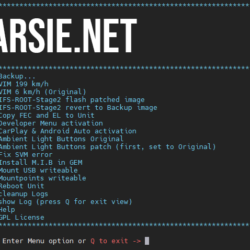
MH2p Full Screen CarPlay & Android Auto Patch
- Price range: £89.99 through £139.99
- Select options This product has multiple variants. The options may be chosen on the product page
-
-
-
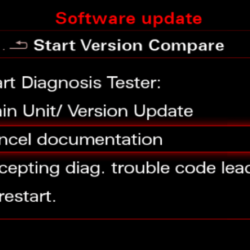
Audi MIB2 CarPlay & Android Auto Activation + Lifetime Maps
- Price range: £109.99 through £139.99
- Select options This product has multiple variants. The options may be chosen on the product page
-
-
-
MHI2_ER_AU57x_K3663_1 – Firmware, Apple CarPlay, Android Auto & Lifetime Maps
- Price range: £119.99 through £139.99
- Select options This product has multiple variants. The options may be chosen on the product page
-
-


-
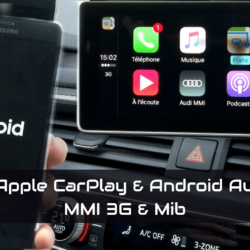
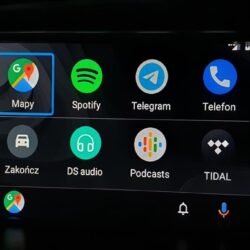
Apple CarPlay / Android Auto module for MMI 2G High – AUDI A4 A5 S5 A6 S6 Q7 A8 S8
- £489.70
- Select options This product has multiple variants. The options may be chosen on the product page
-
-
-
Sale!
Wireless CarPlay & Android Auto for Audi MMI 3G/3G+ (A4, A5, A6, A7, A8, Q3, Q5, Q7) | MMI Updates.
- Price range: £269.99 through £349.99
- Select options This product has multiple variants. The options may be chosen on the product page
-
Sale!

Choose the correct Audi Apple CarPlay upgrade
The installed MMI generation determines whether CarPlay can be activated through software or requires additional hardware. Start by checking the MMI version rather than selecting a product only by vehicle model or production year.
Make factory wired CarPlay wireless
The compact Audi adapter automatically connects a compatible iPhone without a cable. Factory wired Apple CarPlay must already be active. The adapter does not add CarPlay to an unsupported vehicle.
Activate CarPlay on supported MIB2 units
This package activates Apple CarPlay, Android Auto and a lifetime map licence on the exact MHI2 and MHI2Q firmware versions listed on the product page. Two compatible USB ports are required. Choose digital download or a prepared SD card.
K3663_1 package for Audi A6 and A7
Designed for the compatible MHI2_ER_AU57x system, this package combines the K3663_1 firmware with built-in Apple CarPlay, Android Auto and lifetime map licensing. It is already patched and does not require a separate activation product. Two compatible USB ports are required.
CarPlay module for MMI 3G and MMI 3G Plus
A dedicated external interface adds wireless Apple CarPlay and Android Auto to compatible older Audi systems while retaining the original display, rotary controller and factory MMI functions.
CarPlay module for MMI 2G High
This external module brings Apple CarPlay and Android Auto to compatible MMI 2G High vehicles. A CD changer is not required. Installation uses an optical MOST splitter and a power-supply splitter similar to the CD changer connection.
Native activation versus external CarPlay module
MHI2 and MHI2Q: selected firmware versions can use native software activation when the required USB hardware is present.
MMI 2G and MMI 3G: these systems do not gain native CarPlay through a normal firmware update. They require a compatible external integration module.
Factory wired CarPlay: use the adapter only when CarPlay already works through a USB cable and you want wireless connectivity.
Frequently asked questions
Can Apple CarPlay be activated by updating Audi MMI firmware?
Only selected MHI2 and MHI2Q systems support the appropriate software activation. MMI 2G and MMI 3G require external hardware rather than a standard firmware update.
Does the wireless adapter activate Apple CarPlay?
No. It only converts an existing factory wired CarPlay connection into a wireless connection.
Do I need two USB ports for MIB2 CarPlay activation?
Yes. The supported native MIB2 activation solutions require the appropriate two-port USB hardware.
Will the original Audi MMI still work after fitting an external module?
Yes. A compatible module adds CarPlay while allowing the user to return to the original Audi MMI interface and factory functions.