Hungarian Language Pack for Audi MMI 2G High
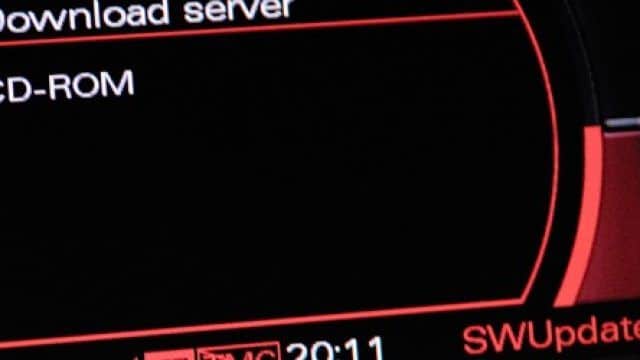
A Hungarian language pack is available for compatible Audi vehicles equipped with MMI 2G High.
The package replaces the English interface language with Hungarian. It is designed specifically for MMI 2G High running firmware version 5570 and must not be installed on MMI 2G Basic, MMI 3G, RMC, MIB or another Audi infotainment platform.
What Does the Hungarian Language Pack Change?
The package changes the supported MMI 2G High interface text from English to Hungarian.
It is intended for the infotainment system interface. It does not change the vehicle’s mechanical control modules, engine software or navigation map region.
This is not a general language file that works with every Audi multimedia system. Compatibility must be confirmed before installation.
Required MMI System
The package is compatible only with:
- Audi MMI 2G High
- European MMI 2G High software
- firmware version 5570
- a working CD drive in the MMI system
The required firmware may be displayed as:
H2_HI_EU_K942
or:
5570
If your car has MMI 3G, RMC, MIB1, MIB2 or another system, do not install this package.
Firmware 5570 Is Required
The Hungarian language package requires MMI 2G High firmware version 5570.
If an older firmware version is currently installed, update the MMI to 5570 first. Complete the firmware update and verify that the MMI works correctly before installing the language package.
Do not attempt to install the language package and firmware at the same time.
How to Check the Installed MMI Version
Before purchasing or installing the language pack, open the MMI version information screen and confirm that the vehicle has MMI 2G High.
Do not rely only on the Audi model or production year. The same vehicle model may have been fitted with different infotainment systems.
If the displayed software information does not match MMI 2G High or you are unsure which system is installed, verify it before proceeding.
How Is the Hungarian Language Pack Installed?
The package is supplied as an ISO image that must be correctly written to a CD. Copying the ISO file onto a disc as a normal file is not sufficient—the image must be burned using the disc-image function in suitable recording software.
The general installation process is:
- Confirm that the system is MMI 2G High.
- Confirm that firmware 5570 is already installed.
- Download and extract the supplied files if required.
- Burn the supplied ISO image to a compatible CD.
- Switch on the vehicle and MMI.
- Connect a suitable battery charger.
- Insert the prepared CD into the MMI CD changer.
- Open the MMI 2G software update menu.
- Select the required language-package components according to the supplied instructions.
- Start the installation and wait until it finishes.
- Restart the MMI and confirm that the interface language has changed.
Follow the complete installation instructions supplied with the package. Do not select unrelated components in the update menu.
Important Installation Precautions
Maintain stable vehicle voltage throughout the procedure. An interrupted installation may leave the MMI incomplete or generate faults.
During installation:
- do not remove the CD,
- do not switch off the MMI,
- do not start or move the vehicle,
- do not operate unrelated MMI functions,
- do not select components that are not included in the instructions.
The ignition and MMI may remain active for an extended period, which is why a suitable battery charger is recommended.
Is This a Firmware Update?
No. The Hungarian language package and firmware 5570 are separate installations.
Firmware 5570 prepares the MMI 2G High platform and is required before installing the language package. Installing firmware alone does not automatically add the Hungarian translation.
The correct order is:
- update MMI 2G High to firmware 5570 if required,
- confirm that the system operates normally,
- install the Hungarian language package.
Does It Work with MMI 3G?
No. MMI 3G Basic, MMI 3G High and MMI 3G Plus use different software platforms and update packages.
The similarity of the MMI name does not make the files interchangeable.
Does It Change the Navigation Maps?
No. The language pack changes the MMI interface language. It does not update roads, addresses, points of interest or the navigation database.
Navigation maps require a separate map package compatible with the installed MMI system and region.

0 comments
Sign in or create an account to leave a comment →